
Data integration in multi-ERP environments enables different ERP systems to share and use business data seamlessly across the organization.
However, integrating multiple ERPs is rarely simple. Each system comes with its own data formats, business rules, workflows, and communication methods, creating significant integration challenges.
The complexity grows when modern ERP platforms must connect with legacy systems like IBM i (AS/400), which still power critical applications and business processes for many organizations. Since these systems cannot be easily replaced, a poorly planned integration strategy can lead to data silos, synchronization delays, duplicate records, and rising maintenance costs.
In this blog, we explore the key integration challenges in multi-ERP environments and practical ways to overcome them.
Every system organize data in different ways, follows its own business rules, and uses different communication methods. These are the key challenges you should know about:
- Different Data Structures and Formats
ERP platforms like SAP, NetSuite, and Odoo may store similar information in different ways. They can use different table structures, field names, and formats.
For example, a system can use a SQL database, and another may use JSON, XML, or flat files. So, you need a proper data mapping and transformation system to exchange information accurately.
- Different and Undocumented Business Rules
Each ERP may follow different rules for tax calculations, inventory valuation, pricing, order processing, etc.
If you do not align these rules, the same transaction may produce different results across systems. Additionally, any missing documentation can make these conflicts harder to identify and resolve.
- Mergers, Acquisitions, and Software Sprawl
During mergers and acquisitions, you may need to manage multiple ERP platforms which were chosen independently. You can use specialized software across departments without built-in connectors. Connecting these applications can increase the integration and maintenance effort.
A centralised integration strategy can help connect these systems while allowing individual departments to continue using applications suited to their operational requirements.
- Real-Time vs. Batch Synchronization
The older ERP systems may process data in scheduled batches, and the modern applications require real-time updates. Any delays in syncing inventory, order, or customer information can create stock mismatches, outdated records, and delayed reports.
This makes it important to select an appropriate synchronisation approach based on business requirements. For example, inventory availability and order status may require frequent updates, while certain financial reports can be exchanged through scheduled batch processing.
- Integration Debt and Point-to-Point Complexity
When you need to create separate connections between every ERP and business application, this can make your integration network difficult to manage.
Over time, the custom scripts and system dependencies increase maintenance costs. Even if there is a small software update, it can disrupt existing connections.
Keep your critical business applications running smoothly with expert IBM i support and development. Explore our AS/400 services for reliable application development, maintenance, and technical support tailored to your business requirements.
How Can Businesses Overcome Multi-ERP Data Integration Challenges?
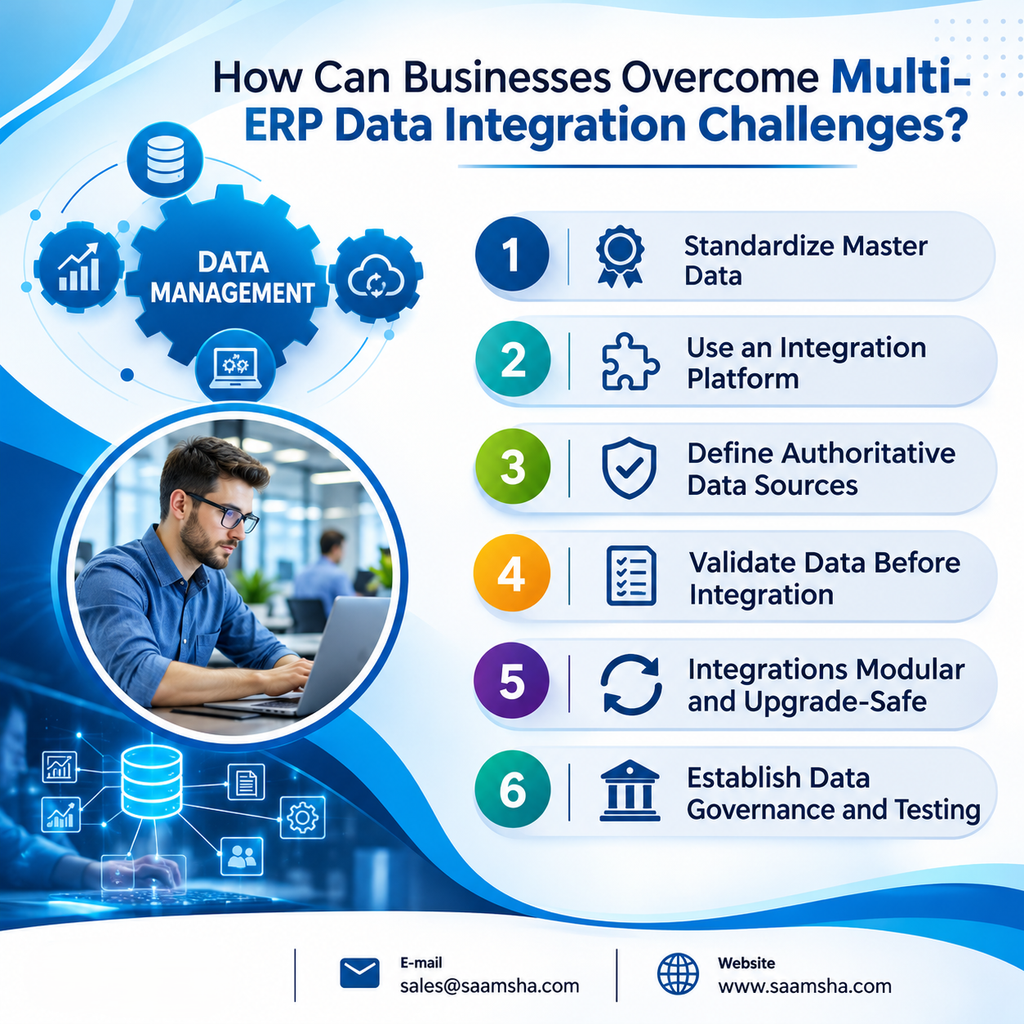
You can overcome multi-ERP data integration challenges by standardizing information, choosing the right integration architecture, and establishing clear data management practices.
- Standardize Master Data: Use a Master Data Management (MDM) strategy to keep your customer, supplier, and inventory data consistent across all ERP systems. This helps you avoid duplicate records and conflicting information.
- Use an Integration Platform: Consider an Integration Platform as a Service (iPaaS) tool, such as Boomi, to connect your business applications. Its built-in connectors and data mapping features can make your integration process easier to manage.
- Define Authoritative Data Sources: Decide which ERP system should manage each type of information. For example, you can use your finance ERP to manage financial records and your manufacturing ERP to handle production data. This helps you avoid conflicting updates.
- Clean and Validate Data Before Integration: Check your existing records before moving data between systems. Remove duplicate entries, correct errors, and use validation rules to prevent missing or incorrect information from entering your systems.
- Keep Integrations Modular and Upgrade-Safe: Build your integrations in separate modules instead of connecting everything through complex custom code. This makes it easier for you to update individual connections without affecting your entire system.
- Establish Data Governance and Testing: Assign clear data ownership across IT and business teams. Apply suitable security controls, maintain audit logs, and test integrations in phases to identify errors before deployment.
Prepare your legacy applications for changing business needs with a structured modernization approach. Explore AS/400 modernization services from Saamsha Technologies to modernize RPG applications and improve system performance.
How Can Saamsha Technologies Support IBM i Application System Integration Requirements?
At Saamsha Technologies, we help businesses connect their IBM i (AS/400) applications developer with modern ERP platforms and business systems.
Our team has expertise in RPG, ILE, COBOL, CL, SQL, and DB2 for i, which enables us to support both legacy applications and modern integration requirements. Our services include:
- Custom Integration and Development: We help you to connect applications running on AS/400 application system with third-party software, ERP platforms, and modern business tools. Our development approach focuses on enabling consistent data exchange while retaining essential application functionality.
- API Enablement: We help to expose existing IBM i application functionality through APIs to support seamless data exchange.
- Application Modernization: Our team helps to modernize RPG applications, green-screen interfaces, and databases while preserving essential business logic. We also support improvements to application architecture and connectivity to meet evolving business requirements.
- IBM i Support and Maintenance: We can also handle application enhancements, system upgrades, administration, and performance tuning. Our support helps businesses maintain their existing IBM i software environment while adapting it to changing operational and integration requirements.
Final Thoughts
The management of multiple ERP systems can be difficult, but you can make it easier by choosing the right integration approach.
You can try to connect different platforms, reduce data errors, and improve information sharing without changing every existing system.
Even your IBM i applications can continue to support daily operations and work with modern ERP platforms at the same time.
With the growth of your business, these steps will help you manage your systems more effectively and prepare for future technology changes.
Make your multi-ERP environment easier to manage with the right technology approach. Partner with Saamsha Technologies to find solutions that support better data management, smoother system integration, and efficient business operations.

