Even in 2026, many manufacturing companies rely on Business Planning and Control System, now known as Infor LX (BPCS), to manage mission-critical operations such as production planning, inventory management, and financial control.
It runs on the trusted and scalable IBM i platform with deep capabilities across manufacturing, supply chain, and financial processes. However, its traditional green screen interface can slow down users and make daily tasks less efficient in today’s digital work environment.
Modern UI and UX upgrades help change these legacy interfaces into simple and easy-to-use applications that improve productivity and user experience.
By updating the interface while keeping the strong backend system, manufacturers can benefit from modern tools without replacing their entire ERP system. Let’s understand the challenges, strategies to overcome and more.
Challenges of Green Screen Interfaces in Infor LX (BPCS)
While the system is stable and powerful, its traditional green screen interface can create several challenges in today’s digital workplace.
- Text-Only Interface
The system displays only text with no graphics, icons, buttons, or visual menus, which makes navigation less user-friendly.
- Keyboard-Dependent Navigation
Users must rely heavily on keyboard commands and multiple function keys, which can require training and slow down new user onboarding.
- Not Intuitive for Modern Users
Many tasks require remembering command codes and complex navigation paths instead of following simple visual steps.
- Integration Limitations
Green-screen interfaces often struggle to integrate directly with cloud platforms, mobile applications, and modern analytics tools.
- Reduced Productivity
These limitations can slow down daily operations and create friction for businesses trying to modernise their workflows.
Ways to Modernize Green Screen Applications in IBM i (AS/400)
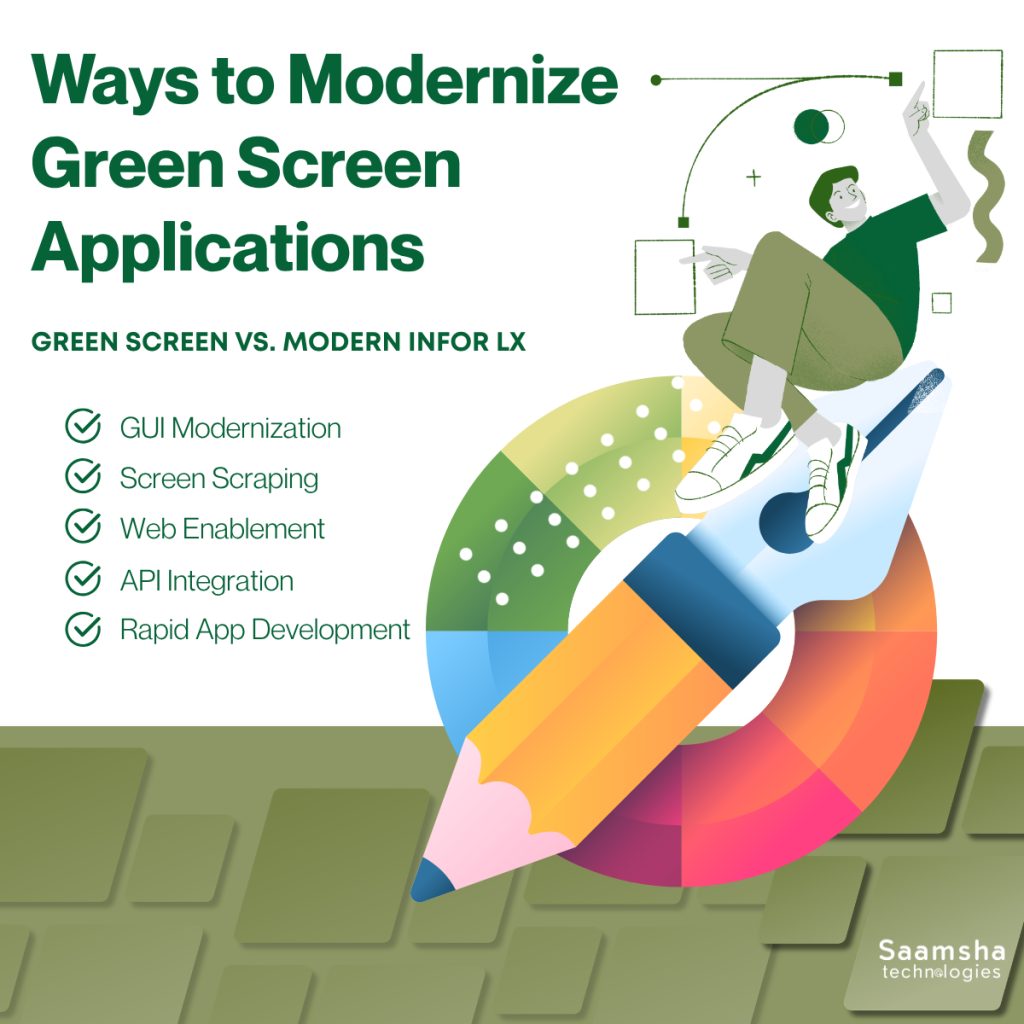
The best part is that companies can modernize these applications without replacing the entire system. Here are some practical approaches to Infor LX Modernization:
- GUI Modernization
One of the most common approaches is converting green screen interfaces into modern graphical user interfaces. By adding visual menus, buttons, and dashboards, the system becomes easier to use. This improves productivity and reduces training time for new employees.
- Screen Scraping
Screen scraping converts existing 5250 screens into graphical web interfaces without changing the underlying RPG programs. This method keeps the original application logic and data intact while improving the visual experience for users.
- Web Enablement
Web enablement transforms legacy applications into web-based systems. Users can access them through standard browsers using technologies like HTML, CSS, and JavaScript. This allows employees to work from different devices without needing special terminals.
- API Integration
Another effective method is exposing application functions through APIs. This allows the legacy system to connect with modern software, cloud platforms, and analytics tools. This also enables real-time data sharing.
- Rapid Application Development
Using low-code or no-code platforms, developers can quickly build modern interfaces and applications that work with existing AS/400 systems.
With these strategies, businesses can improve usability, integration, and accessibility while keeping their trusted legacy systems running smoothly.
Green Screen vs. Modern Infor LX
Legacy green screen interfaces in Infor LX (BPCS) rely on 5250 terminal emulation sessions, which present applications in a fixed character-based layout designed for traditional IBM i terminals. Modern Infor LX upgrades leverage Infor OS and the Infor Development Framework (IDF) to deliver browser-based interfaces, configurable dashboards, and role-based user experiences.
| Feature | Green Screen (5250 Emulation) | Modern Infor LX (Infor OS/IDF) |
| Interface Type | Fixed 24×80 character grid, command-driven | Tabbed portals, drag-and-drop panels, grids |
| Data Interaction | No sorting/filtering; page-by-page scrolling | Sortable tables, unlimited rows/columns, drill-downs |
| Navigation | Sequential menus, function keys (F1-F24) | Contextual menus, search bars, breadcrumbs |
| Mobile Support | Emulator-only, poor on tablets/phones | Fully responsive, native handheld apps |
| Customization | RPG code changes required | No-code IDF fields, role-based dashboards |
| Collaboration | None; single-user views | Real-time alerts, shared screens, Infor Go! |
Advantages of BPCS UI/UX Modernization
Upgrading traditional green screen interfaces on IBM i (AS/400) or IBM i systems brings several practical benefits for modern businesses.
Instead of replacing the entire system, companies can improve usability, performance, and security while keeping their trusted backend intact. These are the key advantages of Infor LX Modernization:
- Works Across Multiple Devices
Unlike traditional green screens that require specific terminals, modern interfaces can run on desktops, tablets, and mobile devices. This allows teams to access applications from different platforms with ease.
- Stronger Security
Updated interfaces often include modern security features such as encryption, access control, and monitoring tools that help protect sensitive business data.
- Lower Operational Costs
By improving efficiency and reducing manual work, modernised systems can lower operational expenses and help businesses get better value from their existing infrastructure.
- Easier Collaboration and Data Insights
Modern interfaces support better reporting, dashboards, and data visualisation. Teams can share information easily and make quicker, data-driven decisions.
- Scalability for the Future
Modernised systems are more flexible and can adapt as business needs grow. They also make it easier to integrate new technologies, ensuring the system stays relevant for years to come.
How Saamsha Technologies Can Help You With Infor LX (BPCS) Services
At Saamsha Technologies, we provide end-to-end services for businesses using Infor LX, previously known as BPCS. Our team of functional, technical, and system administration experts supports full lifecycle implementations, rollouts, and integrations with third-party systems, including EDI solutions.
The Team also handle version upgrades, platform migrations, and system enhancements to keep your ERP environment up to date. In addition, the company offers maintenance, production support, and helpdesk services to ensure smooth daily operations.
With strong offshore and onsite support models, we help organizations optimize processes, reduce operational costs, and maximize the value of their Infor LX (BPCS) systems.
Final Words
Systems like Infor LX (BPCS) continue to play a critical role in manufacturing operations. However, relying on traditional green screen interfaces can limit productivity and slow digital progress.
Modern UI and UX upgrades allow businesses to keep the powerful backend running on IBM i while delivering a faster, more intuitive user experience.
Going forward, companies that modernize their legacy interfaces will be better positioned to integrate new technologies, support mobile workforces, and make quicker data-driven decisions.
By gradually upgrading the user interface and connectivity layers, organizations can protect their existing ERP investment while preparing their systems for future growth and innovation.