Gartner’s latest research shows that only 25% – 45% of ERP implementations achieve their goals. This is because they lack sufficient support during key transition phases with fragmented legacy systems.
These inefficiencies drain resources, inflate costs, and increase compliance risks. Microsoft Dynamics 365 Business Central provides a unified cloud ERP that connects finance, operations, supply chain, and sales with capabilities like Dimensions, automated workflows, and Role Centres.
However, its full value is realized only with strategic, proactive support that drives faster implementation, stronger adoption, and measurable ROI. For finance and operations leaders, the right support model reduces risk, improves reporting accuracy, and transforms Business Central into a competitive advantage.
The Operational Challenge: Why Dynamics 365 Business Central Support Matters?
Most organizations implementing an ERP system face a tough reality where many projects fail or stall after going live. According to the Panorama ERP Report 2023, only 49.7% of ERP projects finished on time, and just 8.2% finished ahead of schedule.
More critically, 73% of discrete manufacturing ERP implementations fail to meet objectives, with average cost overruns of 215% across industries. The main challenges are:
Fragmented Legacy Systems
Finance teams rely on spreadsheets, supply chains lack real-time visibility, and sales cannot easily connect customer activity with orders. Without centralized posting groups, data validation rules, or standardized workflows, data accuracy and accountability suffer.
Implementation Risk
The leading reasons ERP projects fail are insufficient change management (42%), flawed data migration (38%), and inexperienced implementation teams (35%). Moreover, 82% of Chief Information Officers identify employee resistance as the biggest barrier to ERP adoption.
Key gaps often include poor master data cleansing, a lack of sandbox environment testing, and inadequate role-based training.
Post-Go-Live Stagnation
After launch, many treat support as reactive firefighting. Reports take weeks, metrics drift, and users fall back on old workarounds.
Without proactive support, ERP systems accumulate technical debt where security patches are delayed, and compliance controls weaken. All these ultimately cause poor data quality.
Connect with Saamsha’s certified Microsoft experts to evaluate your current operations and discover how our Dynamics 365 Business Central services can accelerate your close cycles, automate finance processes, and unlock measurable ROI.
How Dynamics 365 Business Central Support Transforms Operations?
With automation, scalability, and compliance built into the system, Microsoft Dynamics 365 Business Central support bridges the gap between technology and strategic business outcomes.
Accelerated Implementation and Quick ROI
Guided support ensures Dynamics 365 Business Central goes live within 90 – 180 days. It uses pre-built industry modules, templates, and validated data migration.
Structured implementation reduces errors, prevents scope creep, and minimizes disruption to daily operations.
Clear training frameworks help teams achieve system proficiency fast. It also allows finance and operations staff to focus on strategic analysis rather than basic system tasks.
Real-Time Visibility and Data-Driven Decisions
Microsoft Dynamics 365 support enables full configuration of a unified database that consolidates financial, operational, and supply chain data.
Teams gain real-time dashboards and reporting, which reduces reporting cycles by 40% – 60% and improves inventory, cash flow, and order visibility.
Native integration with Power BI and Power Apps allows departments to track KPIs and respond to anomalies within hours rather than weeks.
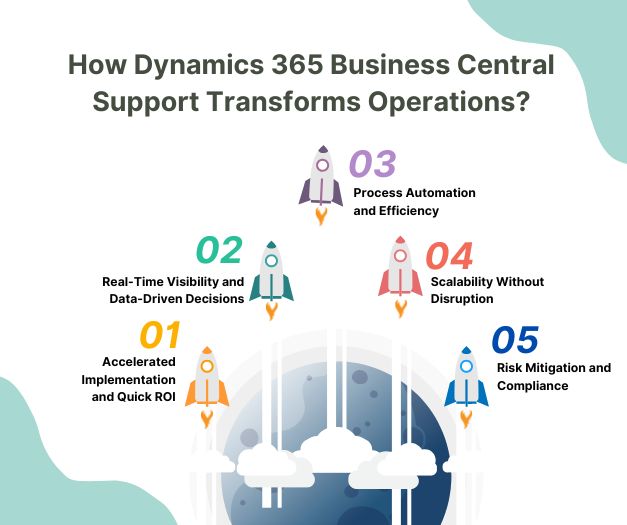
Process Automation and Efficiency
Proactive support helps implement automation for routine tasks such as accounts payable, bank reconciliations, and transaction posting.
Invoice automation alone can save 50+ hours per month, increase processing speed fivefold, and reduce errors by 95%.
Month-end and quarter-end closing accelerate from 10+ days to 3 – 5 days and also frees your finance team time for higher-value work.
Scalability Without Disruption
Microsoft Dynamics 365’s cloud-native architecture ensures predictable performance as organizations grow. Support helps organizations scale users, transactions, and data without platform disruption.
Its modular design allows selective adoption of additional features without migration, ensuring expansion is smooth and cost-effective.
Risk Mitigation and Compliance
Proactive monitoring maintains security patching, threat detection, and disaster recovery readiness.
Built-in controls, audit trails, and automated reconciliations simplify compliance with regulations such as SOX, GDPR, HIPAA, and GST. This reduces operational and regulatory risk while ensuring continuity.
Support Models: Choosing the Right Approach for Business Central
Selecting the right support model for Microsoft Dynamics 365 Business Central depends on your business needs, internal resources, outsourcing strategy, and existing IT frameworks.
Fully Outsourced
In a fully outsourced model, an external partner manages all aspects of support. This works best for smaller projects or organizations with limited internal expertise.
Success relies on a strong partnership, clear communication of business priorities, and the partner’s deep understanding of your operations.
Fully Internal
A fully internal support model leverages your own staff to manage all support tasks. This model is ideal for larger organizations with skilled resources across business, technical, and service areas
It offers greater control and the ability to drive improvements and innovation. It requires specialists for custom code and integrations and demands ongoing effort to keep up with updates and best practices.
Mixed
The mixed model combines internal and external resources, balancing control with strategic expertise.
Internal staff handle day-to-day issues, training, and triage, while external partners provide guidance, handle peak demand, and support customizations.
This flexible approach is the most common, which helps organizations to maximize efficiency and responsiveness.
Saamsha’s experienced implementation team has deployed Microsoft Dynamics 365 Business Central across enterprises in your industry. Get a customized implementation roadmap, risk assessment, and timeline now!
The Bottom Line
Success with Microsoft Business Central depends on ongoing, proactive, and reliable support. A well-planned support strategy helps businesses maintain system performance, resolve issues quickly, and ensure that the ERP continues to support changing operational requirements.
Strategic support identifies optimization opportunities, manages updates, improves workflows, and aligns the system with evolving business needs, turning expected efficiency gains into measurable ROI. It can also help organizations reduce downtime, improve user productivity, strengthen system security, and make better use of Business Central’s capabilities.
For finance and operations leaders, the critical choice is selecting a support partner and service model that ensures continuous value, responsive assistance, and long-term system stability.
Organizations that treat support as a strategic investment rather than simply a cost can transform Business Central from a transactional system into a driver of operational excellence, improved decision-making, sustainable growth, and long-term competitive advantage.